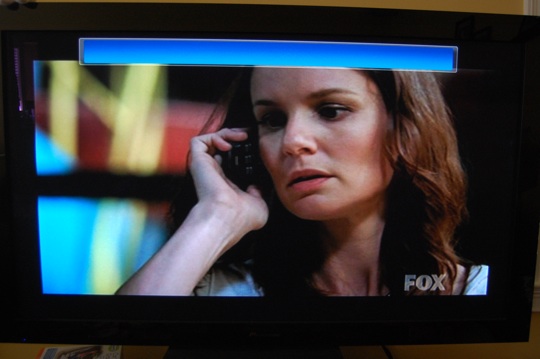
About two times since I’ve installed the TV Pack, this blue bar has showed up on every TV (including extenders) and causes weird issues. For one, I can’t figure out how to get it to go away without restarting VMC and it seems to make the extenders lock up all together. Unfortunately it has never showed up while I was using my media center, only while others have used it, so I have no idea if anything was accidentally selected or a button hit to bring it up.
Ben, I had this happen to me today after setting up an HP Media Smart Connect extender. It appeared first on the extender, then made it’s way back to the VMC. Not sure what it is, but no combination of button presses could make it go away.
I am having the same issue on 1 extender and if I stop live TV and restart it seems to go away, I sure hope someone finds a resolution to this soon.
It looks like the same bar (sans the scrolling text) that would appear when my cable company would be doing a broadcast test. The only way to get rid of it was to hit stop and live TV.
I have the same problem without any extender. It only happened after installing a cablecard into my machine. It also autom atically default the channel I am watching to 2. Sometimes it doesn’t go away no matter how many times I shut down VMC or the computer.